Tiny Fax - Send Fax from Phone
TinyWork AppsBusiness
4.611.01K Reviews
- Version
- 6.6.8
- Installs
- 500.00K
- Age Rating
- Everyone
Screenshots
Our Review of Tiny Fax - Send Fax from Phone
 Analysis by Appyee
So, you're in a pinch and need to send a fax, but all you've got is your smartphone. Sounds like a nightmare, right? Well, not anymore! Let me introduce you to Tiny Fax - Send Fax from Phone. Yes, that’s right. This app turns your mobile device into a portable fax machine. It's one of those apps you never knew you needed until suddenly, you do. Let's dive into what makes this app a lifesaver in the digital age.
Getting Started with Tiny Fax
First things first, downloading and setting up Tiny Fax is a breeze. It’s available on both Android and iOS, so no worries about compatibility. Once you download it, the interface is pretty straightforward, which is a big plus. No one enjoys a complicated setup, especially when you're trying to get things done quickly. The app guides you step-by-step, and before you know it, you're ready to send your first fax.
You'll need to create an account, which takes just a few minutes. The app offers a free trial with some credits to get you started, but for regular use, you might want to look into their credit packages. It's a pay-as-you-go system, so you only pay for what you use. Nice, right?
What to Expect Before You Send
Tiny Fax is a business app from TinyWork Apps, aimed at a very specific task: getting paper-style documents to a fax number without finding a physical machine. That focus is useful when a clinic, office, insurer, or government department still asks for a fax. It is less compelling if everyone you deal with accepts email attachments or a secure online form. A fax app solves the delivery format problem; it does not make a recipient’s process more modern.
The app is free to install, has an Everyone age rating, and includes optional in-app purchases priced from $0.99 to $89.99 per item. I’d treat those purchase options as a reason to check the cost shown in the app before sending, especially if you have several pages or expect repeat use. Its average rating is 4.6 from around 24,000 ratings, and it has passed 500,000 installs. Those figures suggest many people find a use for it, but they are not a substitute for checking whether its workflow fits your own needs.
On Android, the current version is 6.6.6 and the minimum supported system is Android 5.0. The app was released on November 13, 2015, so it has been around long enough to be a familiar option in this niche. I would still judge it by the current screen and purchase details on your device rather than assuming every older review describes the experience you’ll see today.
Make the First Setup Less Stressful
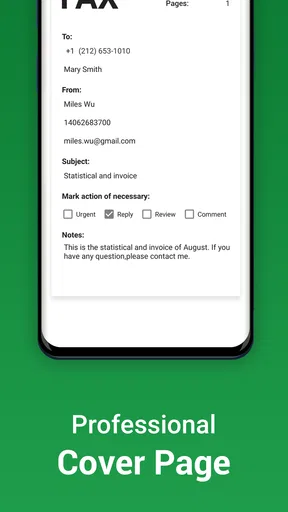
Before opening the app, have the recipient’s full fax number and the document ready. It sounds obvious, but searching through a message for the number while handling a time-sensitive form is an easy way to mistype it. If the recipient has given you a cover page or a preferred department name, keep that information nearby too. Sending a fax to the right organization but the wrong team can be nearly as frustrating as not sending it at all.
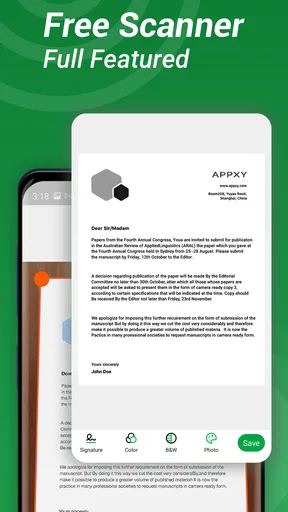
For a paper original, take the picture in bright, even light and make sure all four edges are visible. Keep the phone parallel to the page rather than shooting from an angle; that helps avoid a skewed image that may be hard to read after transmission. Check small print, signatures, and handwritten dates before sending. A screen can make faint text look clearer than it will appear on a printed page, so zoom in and inspect the final document carefully.
For a file already on your phone, use the cleanest available copy rather than a screenshot of a document viewer. A screenshot may include controls, cut off margins, or reduce legibility. If you are combining pages, decide their order first: a cover sheet should normally come before the material it introduces, and supporting pages should follow in a sequence the recipient can understand. That small bit of preparation is more valuable than rushing through the send screen.
Features That Make Life Easier
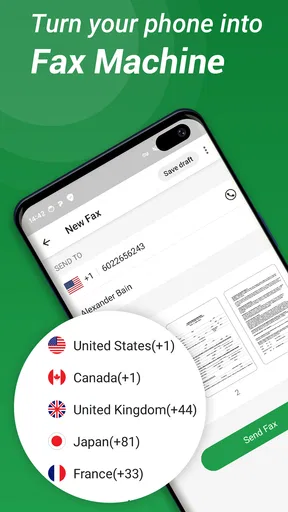
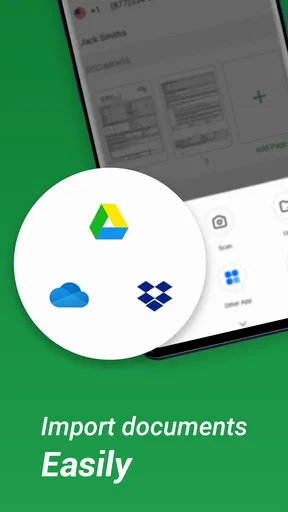
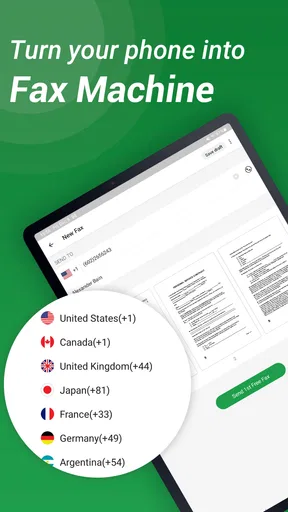
Once you're set up, the app's features really come into play. You can send faxes to any fax number worldwide, and it supports multiple file formats like PDFs and images. Just snap a picture of your document, or upload a file from your phone, Dropbox, or Google Drive. The app processes the document and sends it off in a jiffy.
One feature I really appreciate is the ability to combine multiple documents into one fax. This is super handy when you have several pages that need to go out together. Just select the files, arrange them in the desired order, and hit send. The app takes care of the rest.
A Realistic First Fax Workflow
Imagine you need to return a signed form during a work break, but the office that issued it still accepts documents by fax. I’d photograph the signed pages on a clear surface, review each image for shadows and clipped corners, then add any supporting pages in the order the office expects. Before sending, I’d compare the number on the form with the number entered in the app and make sure the pages are readable at normal size.
After submission, I’d keep the confirmation and check the fax history rather than closing the app and assuming the task is finished. If the recipient has a deadline, I’d contact the office through its usual channel to confirm receipt when that matters. A delivery confirmation is useful evidence that a transmission completed, but it does not necessarily prove that the right person reviewed the pages or that the information was accepted.
This is where a phone fax app can be a practical bridge: it lets you act while away from a printer or office machine. It is not a replacement for proofreading. A wrong number, missing signature, or blurred page can still undermine an otherwise successful send, and correcting those mistakes may mean paying to send the document again.
Where It Fits Compared with Email and Scanning
For a recipient who accepts email, attaching a PDF is usually simpler and easier to track in an inbox. A scanning app is a better choice if your main goal is to turn paper into a neat digital file for storage or sharing. Tiny Fax makes more sense when the receiving side specifically requires fax delivery. That distinction helps avoid paying for a fax simply because the document happens to be on paper.
It can also be useful for occasional personal paperwork, such as sending a signed page while travelling, or for a small business that encounters fax-only suppliers now and then. A business that sends documents regularly should compare the per-use purchase approach with a dedicated fax service and consider how it will organize records across staff. If you send sensitive or high-volume material, check your organization’s requirements before putting documents through any mobile service.
The trade-off is convenience versus control. Sending from a phone saves a trip to a machine, but you need to take responsibility for image quality, recipient details, and the cost of each job. If you are dealing with a long packet, a busy office workflow, or originals that must be reproduced with exact formatting, a staffed fax service or office machine may be less fiddly.
Security and Reliability
Now, I know what you’re thinking. How secure is this thing? Well, the app assures that all faxes are sent over a secure connection, and they don’t store your documents on their servers. Privacy is key, and Tiny Fax seems to take it seriously.
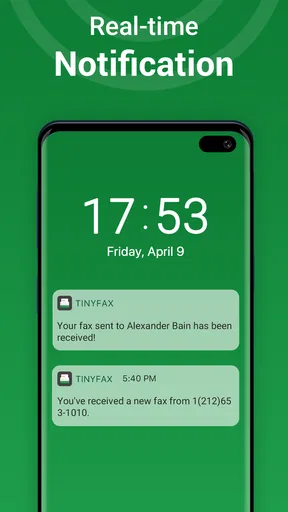
In terms of reliability, I’ve sent multiple faxes without a hitch. Each time, the recipient got the document with no delays or missing pages. Plus, you receive a confirmation once your fax is successfully sent. It’s a small detail, but it gives peace of mind knowing your document reached its destination.
For anything involving identity, health, finances, or legal matters, I would take an extra moment to verify the destination and inspect the pages before sending. A secure connection is reassuring, but it cannot correct a typo in the fax number or ensure that the recipient handles the document appropriately. Consider whether fax is the channel the organization itself asked you to use, and avoid sending more personal information than the form requires.
Common Confusion and Useful Habits
The most important distinction for a new user is between preparing a fax and confirming its successful transmission. A document can look ready on your phone but still need a final check for page order, legibility, and destination. Likewise, a success message should be treated as a transmission result, not as confirmation that a human has read or processed the paperwork. If timing is important, follow up with the recipient through a separate channel.
Another practical question is whether to send a stack of separate files or combine them. When pages belong to one case or form, a single ordered fax is easier for the recipient to handle than several disconnected transmissions. Keep unrelated documents separate, though: combining them may expose information to the wrong department or make the recipient’s filing harder. Before sending, review the completed set as if you were the person receiving it, not just the person uploading it.
If you only need to fax once, the free installation and available purchase choices make it reasonable to try, but check the displayed charge before committing. If you expect to send faxes often, compare the total cost and convenience with other services rather than assuming occasional-use pricing will remain the best fit. Either way, save your own copy of important paperwork somewhere you can find it later.
Interface and User Experience
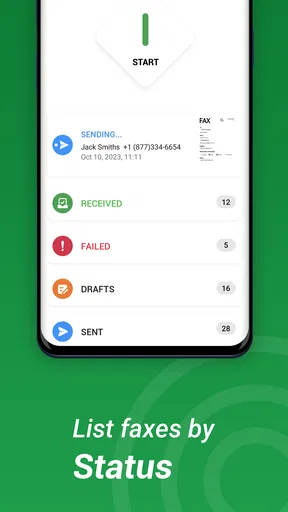
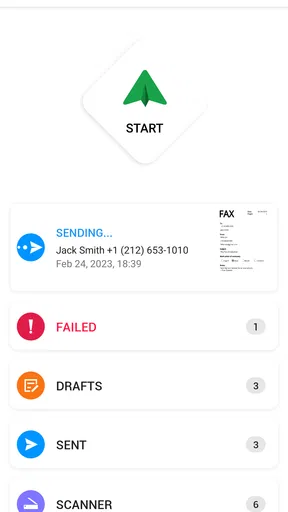
The user interface is clean and intuitive. Everything is where you'd expect it to be, and the app doesn't overload you with unnecessary features or ads. It’s all about getting the job done efficiently. The design is minimalistic, which I find refreshing. You can access your sent faxes easily, and there’s a log that keeps track of all your activity. It’s simple, yet effective.
Who I’d Recommend It To
I’d recommend Tiny Fax to someone who sends a fax only now and then and wants to do it without locating a machine. It is especially handy for freelancers, travellers, and people handling occasional paperwork for an organization that has not moved away from fax. The combination of phone-based document input and a record of sent activity suits a quick, one-off errand better than setting up a full office system.
I’d skip it if your recipients accept ordinary digital documents, if you need a shared workflow for a team, or if you regularly send large, complex packets and need more oversight than a phone screen offers. It may also be the wrong tool if you are uncomfortable reviewing a sensitive file on a mobile device or checking per-item costs before sending. In those cases, an established office fax setup, a service built for regular business use, or simply email may be a better match.
Wrapping It Up
In a world where everything is digital, finding an app that bridges the gap between old and new technologies is a gem. Tiny Fax - Send Fax from Phone does exactly that. Whether you're sending documents for business or personal use, this app is a handy tool to have on your phone. It's reliable, easy to use, and most importantly, it works. So next time you find yourself needing to send a fax, remember that your smartphone has got you covered. Give it a try, and you might just be surprised at how much you like it!
Verdict
Strengths of Tiny Fax - Send Fax from Phone
- User-friendly interface makes faxing easy.
- Supports various document formats for faxing.
- Reliable delivery with confirmation notifications.
- No need for a dedicated fax machine.
- Affordable pricing compared to traditional fax services.
Limitations of Tiny Fax - Send Fax from Phone
- Requires a stable internet connection.
- In-app purchases for additional features.
- Limited free faxes per month.
- May not support all international fax numbers.
- Occasional delays in fax delivery.
Other Releases by TinyWork Apps
View All
Tiny Scanner - PDF Scanner App
Business4.6

Checkbook - Account Tracker
Finance3.6

Invoice Maker - Tiny Invoice
Business4.4
Similar Picks in This Category
View All
LinkedIn: Community & Network
LinkedIn3.8

Zoom Workplace
zoom.com4.1

Microsoft Teams
Microsoft Corporation4.6

Meta Business Suite
Meta Platforms, Inc.4.6

Webex Meetings
Cisco Systems, Inc.4.5

TeamViewer Remote Control
TeamViewer4.4
Frequently Asked Questions
What features does Tiny Fax offer for sending faxes?
Tiny Fax allows users to send faxes directly from their mobile devices. The app supports various document formats such as PDF, Word, and images. Users can also import files from cloud services like Google Drive and Dropbox. Additionally, it offers a simple interface for easy navigation and fax management.
Is Tiny Fax secure for sending sensitive documents?
Yes, Tiny Fax ensures secure transmission of documents by using encryption protocols. The app is designed to protect users' data, maintaining confidentiality throughout the faxing process. However, users are advised to review the app’s privacy policy for detailed information on data handling and security measures.
How much does it cost to send faxes using Tiny Fax?
Tiny Fax operates on a credit-based system. Users purchase credits to send faxes, with pricing varying based on the destination. The app occasionally offers promotions and discounts. While the app is free to download, users should be aware of the potential costs associated with sending multiple faxes.
Does Tiny Fax support international faxing?
Yes, Tiny Fax supports international faxing, allowing users to send documents to numerous countries worldwide. It's essential to check the app’s list of supported countries and understand the credit requirements for international destinations, as these may vary from domestic faxing.
Can I receive faxes with Tiny Fax, or is it only for sending?
Tiny Fax is primarily designed for sending faxes. While it excels in sending documents efficiently, it does not offer features for receiving faxes. Users looking for an app to receive faxes might need to explore other applications that offer this functionality.
